Chrome MV3 extension · MIT
One-click test-user switching for apps on localhost.
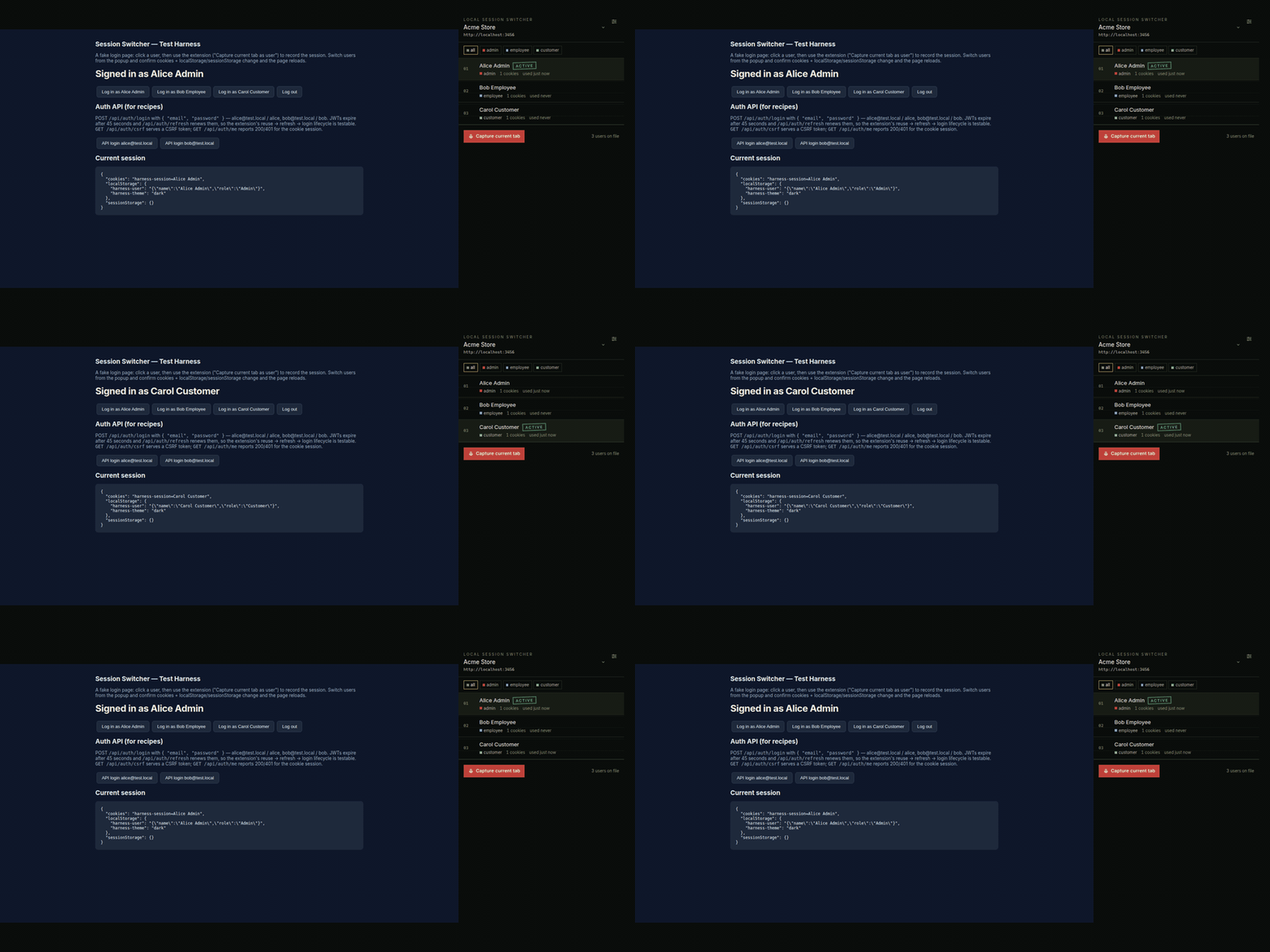
Every local project shares one cookie jar. This extension keeps named users per project
(admin, employee, customer) and swaps cookies plus
localStorage/sessionStorage in one click. Tabs reload. No
sign-out dance. Nothing leaves the machine.
Chrome Web Store listing is in progress. Until it is live, load the release zip unpacked (Developer mode). Works in Chrome, Brave, and other Chromium browsers.
Install from the release zip
- Download
local-session-switcher-*.zipfrom the latest GitHub Release. - Unzip it.
- Open
chrome://extensions→ enable Developer mode → Load unpacked → pick the unzipped folder.
Then create a project (or import
the example seed), capture a live login, and click a user. A fake login page ships in
test-harness/ if you want to try it without an app.
Why it exists
URL-scoped cookie editors fail locally: every app is localhost, so the URL
tells you nothing. Chrome profiles and incognito work for two users and fall apart at five
roles across three projects. They also cannot log in or refresh tokens for you.
Features
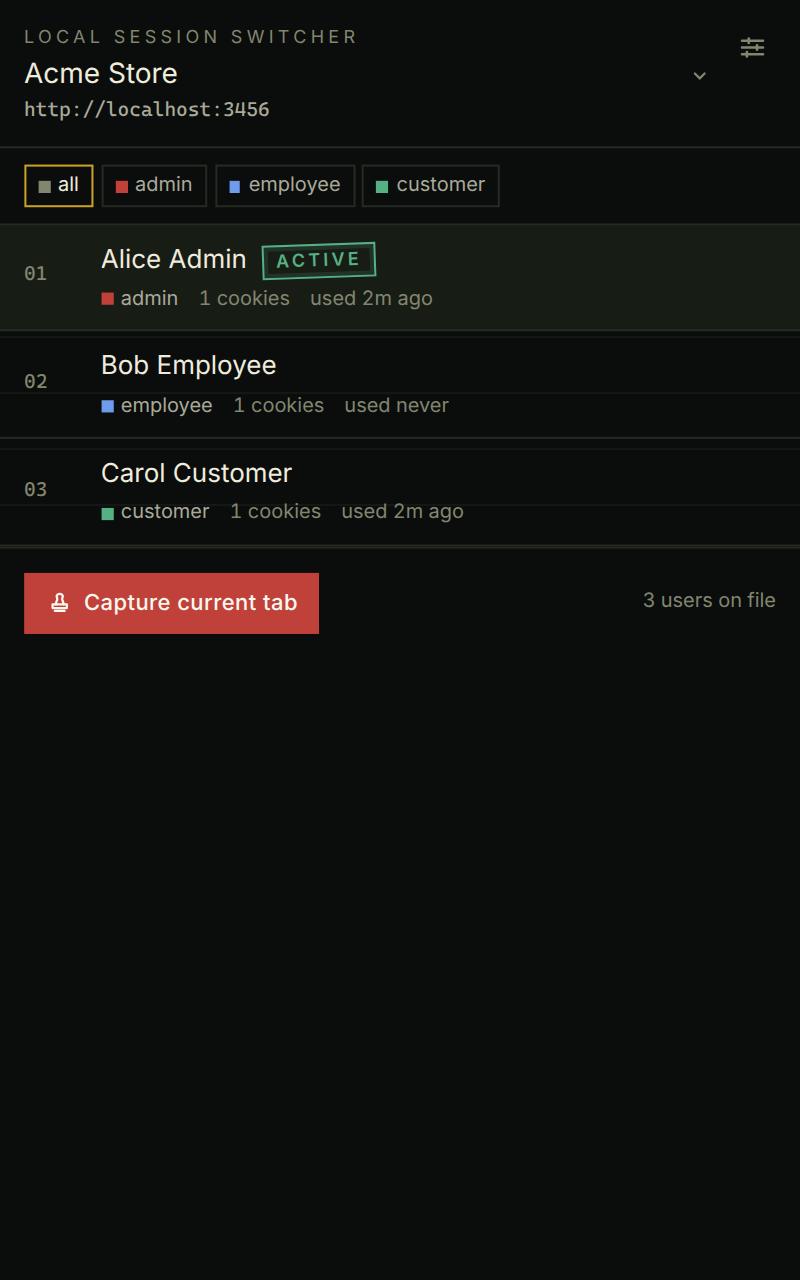
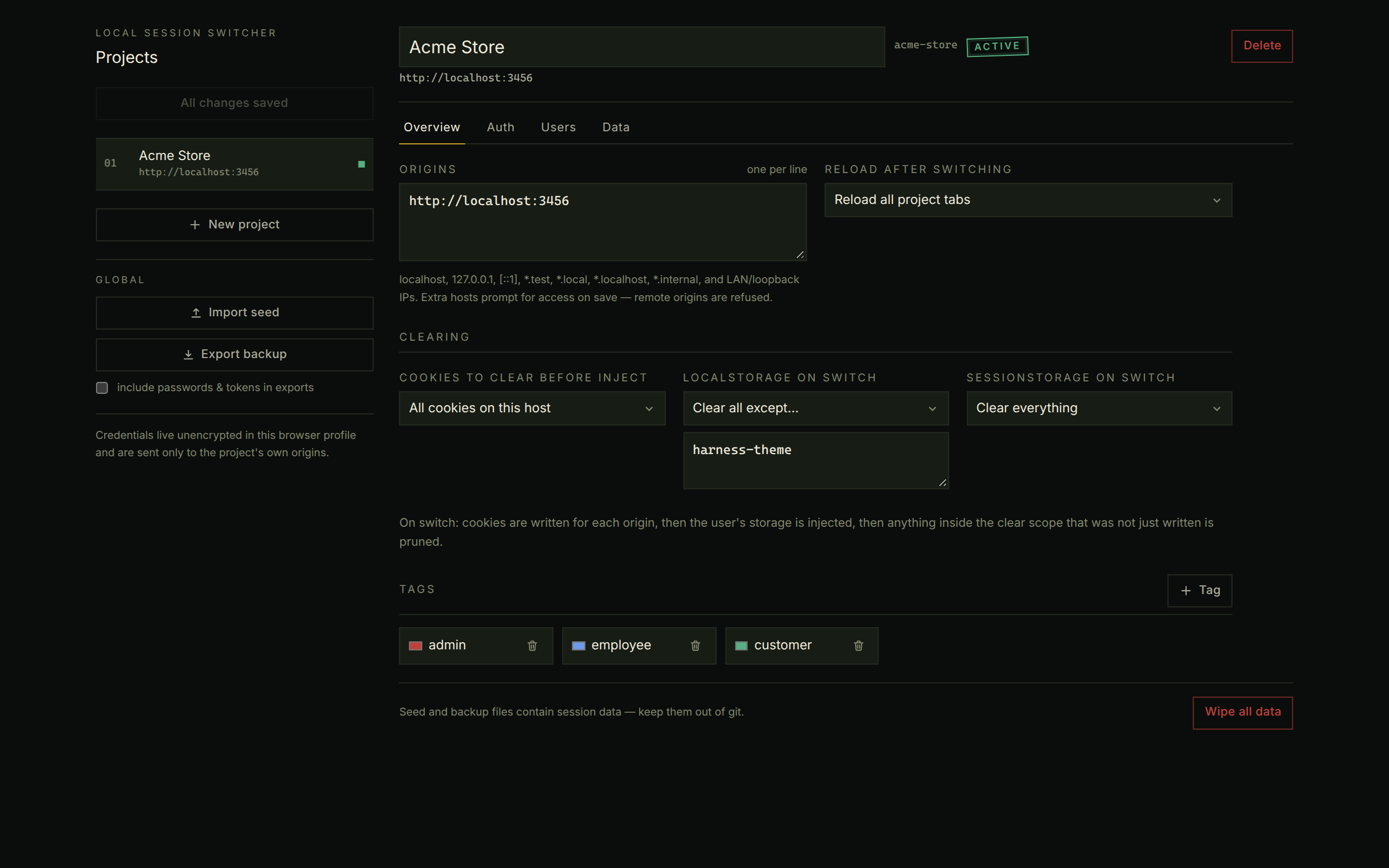
- Project-scoped user lists — you pick the project; it is remembered.
- One-click swap: cookies + web storage written, leftovers pruned, tabs reloaded. A → B, never through logged-out.
- Auth recipes with presets for session cookies, NextAuth, Laravel Sanctum, Django, and JWT + refresh.
- Capture the current tab as a user, or import a JSON seed. An agent skill can author the seed for you.
- Optional extra local hosts (
*.test,*.local, LAN IPs) requested only when you add them. - Keyboard Alt+Shift+U/Y, toolbar badge, right-click menu, side panel.
Privacy
No analytics, no accounts, no network calls except the login/refresh URLs you configure on your own origins. Details: privacy policy.